
Google Cloud Integrates with FDA MyStudies

Google Cloud recently announced that they are working to expand FDA MyStudies, an open-source technology platform that supports research organizations as they collect and report real-world data for regulatory submissions. LabKey provides the backend data management for FDA my studies via a dispersed data model that securely partitions personally identifying information to help ensure patient privacy.

Google Cloud FDA MyStudiesWith Google Cloud, organizations will now have another alternative to securely host their deployment of MyStudies. This secure hosting provides organizations with safeguards in the ownership and management of data in their studies including the ability to select which of its researchers and clinicians are able to access what data, and to help optimize the use of that data as directed by participants.

In developing the FDA MyStudies platform, LabKey Server was selected as the data management partner due to its flexible open architecture and ability to securely handle personal health information in a compliant manner. LabKey Server also provides role-based governance of the data stored on the Registration and Response servers to ensure that data is only accessible to authorized users. 

At LabKey, we are excited to learn about the integration with Google Cloud and look forward to having an additional option for secure hosting of the FDA MyStudies platform.  

Additional Resource:
Case Study – FDA MyStudies Mobile App

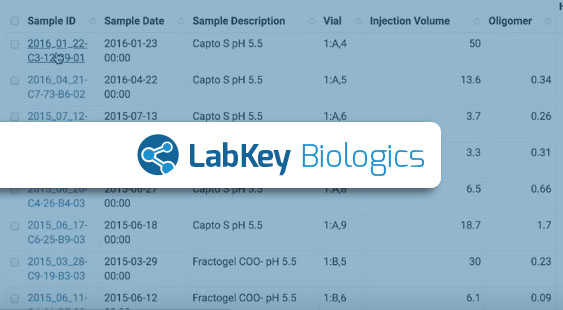
Centralizing Biologics Assay Data with LabKey Biologics

[vc_video link=”https://youtu.be/2WpQ_ncpsMQ” el_width=”80″ align=”center”]Centralizing biologics assay data so it can be easily viewed and analyzed in a single place is one of the core challenges biotherapeutic research teams encounter. Without centralized assay data, teams must turn to time-consuming and error-prone manual integration methods to collaborate and maximize the value of their analytical data.

LabKey Server’s robust mechanisms for defining assays and uploading assay data are helpful for bringing analytical data into a single system, but our biologics software– LabKey Biologics, takes this one step further and provides valuable structure and connections that help biologics research teams understand how that analytical data fits into the larger context.

LabKey Assay Designs: Standardizing Analytical Data Structures

LabKey Biologics allows teams to define or customize biologics assay designs (many editable assay design templates come pre-defined within the system) to capture assay data in a specific structure. Some teams using LabKey Biologics may need to define only a few assay designs to support their research, while others working in a more complex environment may need to define 100+.

When building an assay design, laboratory teams can choose to add fields specific to batches, runs and results to provide additional context for their data. LabKey supports a wide variety of field types (including integer, float, boolean, and text) and users can configure aliases, validation rules, and a variety of other characteristics for each.

Centralizing Assay Data In the System

Once an assay design has been built in LabKey Biologics, data can be added to the system using that design to provide its structure. There are a number of different ways to load your assay data into LabKey Biologics including:

  • Automatically uploading via the LabKey API
  • Manually uploading spreadsheets
  • Pasting spreadsheet-type data
  • Entering data into a form

The first strategy, automatically uploading, leverages the APIs of LabKey Biologics to allow other instruments or file systems to talk directly to the system. The other three strategies involved a manual process suitable for varying use cases. If you have a large spreadsheet to integrate, you might want to use the manual upload method or paste the tabular data directly into the application. If you just have a couple of values you want to enter, simply entering the data into a form in the LabKey Biologics UI might be the simplest strategy.

Leveraging Sample Lineage for Context

As you know, analytical data generated during experiments is tied to a specific sample. Because the lineage of samples is tracked in LabKey Biologics, the application will automatically query sample lineage when data is uploaded and present relevant biological entities side-by-side with analytical data in the bioregistry. Showing the sequence or molecule information adjacent to the analytical data, allows scientists to easily ask questions of their data and conduct comparisons with other sequences that are seen in different experiments.

Ready to see this functionality in action? Watch the quick look video above. For more information or to request a demo- Click Here

4 Tips for Improving Lab Sample Management Workflows

Research and clinical laboratories alike are continuously striving to improve their lab sample management workflows. As more organizations invest in translational and collaborative research, the need to collect samples with higher integrity and reproducibility increases. By using sample management software to improve their laboratory workflows, labs can generate more reproducible and reliable endpoints while also boosting processing efficiency. Standardizing processes and workflows can help improve identification methods and reduce processing errors within laboratories. 

Common ways to improve your lab sample management workflows include:

  1. Standardize the processes within your lab.
    Developing Standard Operating Procedures (SOPs) for your laboratory sample management increases the reliability of endpoint samples and therefore the assay results. Well-developed SOPs will account for common troubleshooting methods and provide mechanisms for users to document abnormalities. This in turn will provide more insight to groups downstream about the sample fidelity. SOPs also act as excellent training resources for new staff and ensure the entire team is well trained and prepared for managing samples in the lab.

  2. Determine your laboratory capacity.
    Establishing capacity for any workflow is important. Determining the capacity of both your laboratory staff as well as equipment capacity is important to establish limits that will guide the most effective and reliable lab sample management workflow. By evaluating the available capacity of staff and equipment, new insights can be learned to improve lab and sample processing efficiency.
     
  3. Automate where possible. By introducing automation methods, even if they are as straightforward as barcode generation and scanning, you can improve the laboratory capacity as well as reduce the potential for errors. Barcodes in particular will enhance sample identification and minimize additional effort from laboratory staff. Other advanced methods of automation, such as robotic processing, may also provide value but are typically more costly and can increase processing time in some cases.
  4. Deploy integrated systems that help laboratory work. Using software systems in the lab that do not hinder sample management processes, but instead enhance them, is important for gaining adoption and boosting laboratory morale. By having integrated systems that are easy-to-use, researchers can perform work faster with less ramp-up time, and can recognize discrepancies easier. Downstream, integrated systems offer organization leadership the mechanisms to track workflow data over time with the ability to easily adjust workflows to improve processing.

LabKey Sample Manager

Developed in coordination with our lab partners, LabKey Sample Manager has been intuitively designed to boost the efficiency and productivity of laboratories. The application allows for the registration and tracking of samples and their derivatives, as well as the assignment of samples to custom sample processing workflow jobs. This provides a flexible yet standard mechanism of capturing tasks in each workflow, and can act as a virtual record of sample processing. Additionally, Sample Manager allows laboratory staff to easily capture data generated from these workflows and associate them with samples. 

Contact Us for more information regarding Sample Manager.

Related Post: Benefits of Unifying Lab Samples with Assay Data

Benefits of Unifying Lab Samples with Assay Data

Many laboratories experience challenges with their sample data management functions. Samples, aliquots of samples, and the data derived from them are often stored as a mixture of paper and electronic records, or in hard-to-search electronic laboratory notebooks. Difficulty in managing complex interlinkages and the inability to tie results data back to sample records can cause duplicate assays to be performed and puts data integrity at risk. Having a system that unifies assay data directly with sample information provides bench scientists, lab managers and investigators with a comprehensive view of the work that has been, or needs to be performed in the lab. It also provides downstream researchers with valuable information on how and when results were derived for each sample.

By unifying your lab samples with assay data, you can:

  1. Analyze, interpret and report the data more accurately. With an understanding of how samples were generated and pre-processed, scientists can ensure their downstream data analysis takes these sample metadata into account when they perform their analysis. This improved reproducibility in the lab and generates publication-ready data.
  2. Easily attain accurate insight into what data has been collected around a given sample, avoiding the time consuming process of searching through lab notebooks or loose data files. Knowing what data has been generated will reduce duplicative experiments, increase productivity and ultimately result in less overhead expenses.
  3. Generate data provenance between data that is created from samples, allowing users and auditors to easily understand how data was generated.

LabKey Sample Manager 

Developed in coordination with our lab partners, LabKey Sample Manager has been intuitively designed to boost the efficiency and productivity of laboratories. The application allows for the integration of various types of tabular assay data with samples and their corresponding metadata. This provides a complete picture of ongoing experiments and data collected. Additionally, Sample Manager allows laboratory staff to easily capture sample lineage and assign samples to customizable laboratory workflows.

Contact Us for more information regarding Sample Manager.

Tableau Integration with LabKey for Research Data Visualizations

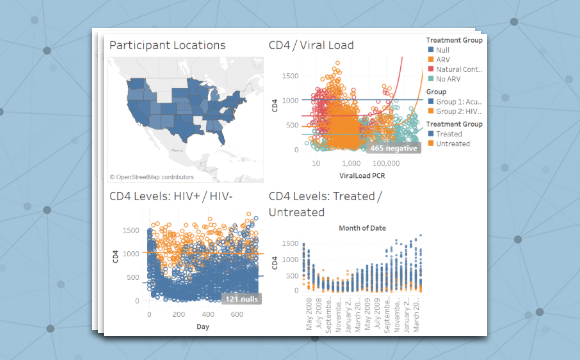
More than a tool to facilitate data integration and analyses, LabKey has partnered with Tableau to help research teams visually communicate their findings and build consensus with stakeholders. After all, the most important scientific discovery can’t change the world unless it can get your attention. Key insights gleaned from complex biomedical research data can be overwhelming to explain and even more difficult for some audiences to understand. Insightful and beautiful visualizations created in Tableau from data within LabKey Server can help bring complex data to life, and clearly communicate key results.

Seamless Integration of LabKey Data with Tableau

LabKey integrates scientific data with a wide variety of external analysis and presentation tools, including Tableau Desktop. Gone is the need to hand over research data to visual designers who may not understand the science. The LabKey integration with Tableau allows you to make compelling charts and plots with tools designed for analysis. With Tableau and LabKey together, you can easily create compelling graphs, tables  and other visualizations from your own research data. Presentations can be “live” so they automatically update when additional data is incorporated, or if you prefer, your research data visualizations can reflect a static snapshot.

Tableau Technology Partner 

As a Tableau Technology Partner, LabKey adds the ability to connect biomedical  research data to the analytics and visualizations available with Tableau. Drag and drop the data you want, customize colors, styles, and layouts, and never pause or lose the integrity of your ongoing research. Tableau partners with leading technology companies in the data and analytics industry to seamlessly integrate with Tableau so people can collect, store, transform and connect to the data that is important to them.

Video: Using Tableau to Visualize Data in LabKey Server

Read more here:

https://www.labkey.org/wiki/Documentation/page.view?name=tableau

Custom LIMS Software for Engineered Mini-Proteins

Optide-Hunter

Scorpion venom can kill you, but there is a lot to learn from it. Keeping the part of the molecule that crosses the blood brain barrier and attaching a specifically targeted therapy for treating brain tumors is being made possible by the Olson Lab at Fred Hutch with the help of a custom LIMS software developed on LabKey Server.

The engineering of protein-based therapeutics is a complicated but promising strategy for improving treatments for cancer and infectious disease. And it’s not just the chemistry that is complex. The Olson Lab experiments with nature-inspired bioengineered mini-proteins modified with synthetic chemistry to produce “Optides” (optimized peptides), which hold promise for optimizing therapeutic properties. Managing all the experimental data and metadata presents a myriad of challenges which LabKey Server is well suited to handle.

Customized LIMS Software for Protein Engineering

The Olson Lab has developed Optide-Hunter, a LIMS software built with LabKey Server. The platform supports a generalized protein compounds workflow for tracking entities and assays from creation to preclinical experiments.

You’ll find a compound registry, in-silico and in-vivo assays, support for high-throughput and large-scale production, and automated data loading. Optide-Hunter also supports automated chromatogram classification and external pre-processing of high performance liquid chromatography (HPLC) data. Other users can customize the software for their unique workflows.

You can learn more about the project and partnership with LabKey in the case study. Continue reading to learn how to explore the Optide-Hunter yourself right now.


Getting Started

You can explore a read-only version of the Optide-Hunter yourself right now with no account or registration required.

  1. Click here to open the Optide-Hunter in a new tab. Keep these instructions alongside.
  2. Click the Optides project icon at the bottom of the screen. The home page shows the project files, including custom R code and custom module examples you can download.
  3. Each topic along the top menu bar covers a different aspect of the project. Hover over CompoundsRegistry and click Samples to see the registry of compounds for protein expression and conjugation. A set of wiki pages listed on the right guide you with details about the elements shown.
  4. For example, lineage relationships are represented by ordering compounds in a specific hierarchy. Before variant sequences are registered, corresponding homologues must be registered and assigned IDs.
  5. Next, explore the assays along the menu bar. For example, HTProduction > Assays. Click HPLC Assays on the Assay List, then view and filter the data to find compounds of interest.
  6. On the Programs menu, select the QueryAssays option then enter one or more Compound IDs, for example “CNT0001356” and click Submit. Two grids of Matching Constructs and InsilicoAssays Matches will be populated with the search results to give you a common view.

Create Your Own Trial of Optide-Hunter

After exploring our read-only example, you can create your own trial instance and try uploading your own data, customizing the user interface, and developing your own queries and reports. To launch your 30 day trial, create or log in to your account via this link, then select the “Optide-Hunter – Case Study” option.


This project was published in the journal BMC Bioinformatics with the title “Laboratory Information Management Software for Engineered Mini-protein Therapeutic Workflow“. Learn more about the collaboration with LabKey in our case study.

What’s New in LabKey Biologics 19.1

LabKey has continued to improve and enhance the LabKey Biologics application with the release of version 19.1! We continue to work with our users to prioritize the most needed features and solutions for R&D teams.

Highlights

  • Users can now create a custom chart or a view of a data grid once, and then see that view anywhere that’s relevant within Biologics. This allows you to design a report or graph, but be able to repeatedly see that analysis filtered to the samples in any particular experiment.
  • Media and batch creation enhancements better match real world needs for flexibility with clarity. Import ingredient and raw material information in bulk, include “unknowns” for mixtures when necessary, and enter additional ingredients to a recipe during creation of a batch.
  • Sample set operations have also been improved, with easier-to-read views of associated assay data as well as improved performance for importing and updating samples.
  • Scientists need the flexibility to store arbitrary file types with their work, including published articles, SOPs, supplemental datasets, and images. You can now attach any number of files to a specific experiment, providing context and analysis of what occurred.

View Full Release Notes >


Upcoming Events

Webinar: Intro to LabKey Biologics: May 2, 2019

LabKey Biologics WebinarJoin LabKey Product Manager, Ryan Luce, Ph.D, for an introduction to LabKey Biologics! Explore the entity registration, data integration, and workflow management capabilities of the LabKey Biologics system.
Learn More & Register

LabKey User Conference, BaselLabKey User Conference & Training – Basel

June 4-5, 2019 | 2 Days
Basel, Switzerland

Learn More & Register!

LabKey User Meeting, LondonLabKey User Meeting – London

June 6, 2019 | FREE
London, UK
Learn More & Register!

LabKey User Conference and Workshop, SeattleLabkey User Conference & Workshop – Seattle

October 3-4, 2019 | 2 Days
Seattle, Washington, USA
Learn More & Register!


More on the Blog

Barriers to R&D Productivity: Manual Data Integration Strategies

Barriers to R&D Productivity: Lack of Visibility into Previously Generated Data

Barriers to R&D Productivity: Lacking a Central Point of Access to Data

Barriers to R&D Productivity: What’s Slowing Down My Research?

Overcoming Key Challenges in NAb Data Management

Biopharmaceuticals are increasingly being prescribed for a variety of diseases, from autoimmune disorders such as arthritis to neurological conditions like Alzheimer’s. Neutralizing antibody (NAb) assays are a critical component of biopharmaceutical development, helping inform researchers of potential product efficacy and patient safety. Having reproducible, repeatable NAb assay results will improve the product research pipeline and ultimately impact trial and patient outcomes. For this reason, efficient NAb data management is more important than ever to biomedical researchers.

With the advancement of plate and instrument technologies, NAb assays provide a high-throughput mechanism of evaluating the potential immunogenicity of the drugs they study. Teams must be able to set up plates accurately, produce consistent analyses, ensure appropriate quality controls, and keep track of data provenance in order to deliver NAb assay results that are reproducible, comparable, and reliable.¹ LabKey Server helps teams overcome core challenges in generating reliable NAb data in the following ways.

Facilitating Good Record Keeping Practices

LabKey Server helps scientists maintain good record keeping by:

  • Directly importing instrument-derived results files and collating them into an analysis dashboard
  • Improving data integrity by associating raw data files and results
  • Providing a built-in graphical template designer that allows users to quickly create new plate layouts (supporting options for cross- or single-plate dilutions, and single- or multiple virus plates)

Streamlining NAb Data Analysis & QC

Improve the consistency and ease of NAb data management and analysis using LabKey Server by:

  • Automatically calculating and generating neutralization curves and titers
  • Removing ill-fitted and otherwise unsuitable data and maintaining those changes for future quality assurance
  • Translating complex plate maps with dilutions and/or multiple viruses into the NAb dashboard so that results of each run may be viewed and graphed on a per-virus basis

Enabling Collaborative Analysis

LabKey Server can help researchers collaborate and share NAb data by:

  • Centralizing raw file storage and analysis in a secure web-based interface
  • Providing an interactive NAb Dashboard for collaborators to interrogate the data
  • Integrating NAb data with other data types, presenting users with a comprehensive view

High-throughput 384-well NAb assays may contain hundreds of samples with dilutions across plates or within a single plate and the resulting graphs and views can be complex. The LabKey NAb Assay tools provide quick visual feedback allowing you to confirm a valid run or immediately correct and rerun if necessary. To learn more about using LabKey Server to manage NAb data, check out the NAb documentation library on the LabKey Support Portal or request a demo.

¹https://bmcimmunol.biomedcentral.com/articles/10.1186/1471-2172-12-33 

Project Highlight: Harvard Pilgrim Health Care Institute and FDA MyStudies Mobile App

Project Background

In 2017, Harvard Pilgrim Health Care Institute (HPHCI) was selected by the U.S. Food and Drug Administration (FDA) through the FDA-Catalyst program to lead the development of a mobile application, called FDA MyStudies, that would facilitate the collection of real-world data directly from patients to support clinical trials, observational studies, and registries. The effort was funded by an award to FDA scientific staff from the Patient Centered Outcomes Research Trust Fund which is administered by the Associate Secretary for Planning and Evaluation (ASPE) of the Department of Health and Human Services. Harvard Pilgrim selected the mobile application development firm Boston Technology Corporation (BTC) and LabKey as their development partners for the project. BTC was tasked with developing a user friendly mobile interface while LabKey was tasked with building a secure back-end storage environment for collected data.

Why LabKey

LabKey Server was selected as the back-end data management solution for this project for a number of key reasons, one of which being the platform’s flexible, science-specific architecture. With the project’s long-term goal of expanding the use of real-world data across research programs, the application framework needed to support a broad range of potential healthcare topics through configuration as opposed to requiring development for each new project.

LabKey Server also stood out as an ideal solution because of the platform’s ability to handle PHI/PII data in a manner compliant with HIPAA and FISMA regulations. Finally, one of the project requirements outlined by the FDA was that the resulting application and storage architecture would need to be made available as open source to the scientific community. LabKey Server, an open source platform licensed under Apache 2.0, was able to support this distribution model without any changes to the existing licensing model.

The Implementation

The back-end storage environment is composed of three independent web applications:

  1. Response Server: used to store data captured via the mobile application and provide secure access to these data for data analysis purposes.
  2. Registration Server: used to manage participant authentication, preferences, notifications, and consents.
  3. Web Configuration Portal: used to design study questionnaires and store study configuration information including consent forms, eligibility tests, surveys, and study resources.

This dispersed data model ensures secure partitioning of all identifying information from response data, helping ensure patient privacy. LabKey Server provides role-based governance of the data stored on the Registration and Response servers and ensures that data are only accessible by authorized users. When it comes time for analysis, data stored in the response server can be accessed by authorized users via a number of different methods including LabKey’s built in analytics capabilities, download to SAS or R, or export to Excel or other standard format.

FDA MyStudies Mobile App w/ Back-End Data Management Support Through LabKey Server

The bulk of the components used in the development of the secure data storage environment were previously existing in the LabKey Server platform. However, three key areas of custom development and extension were required to support the project’s use:

  • Enrollment Tokens: A unique token that is assigned to each participant upon registration that can be used to restrict their enrollment to a specific study cohort, as well as match the collected study data to external systems (e.g., EHRs).
  • Automatic Schema Creation: Automatic generation of a new database schema when a study questionnaire is created, eliminating the need for manual schema development.
  • Mobile App Response Handling: Capabilities to support automated parsing of the JSON responses sent by the mobile application were implemented, enabling the storage of results in the schema, in a scalable manner.

The LabKey team delivered these developments in a custom module using an agile development methodology, refining them based on client feedback in tandem with the development of the mobile application UI.

Results

To evaluate the usability and viability of the application and data storage environments, Harvard Pilgrim contracted with Kaiser Permanente Washington Health Research Network (KPWHRN) to launch a pilot study examining the medication use and healthcare outcomes of pregnant women throughout their pregnancy. For the pilot program, the Harvard Pilgrim team utilized LabKey’s Compliant Cloud hosting services to manage the storage of study data in a secure AWS cloud environment. Participants who successfully completed the study reported high levels of usability and comfort sharing sensitive information using the app. The pilot was deemed a success, and in Fall 2018 the FDA released the open source code and documentation publicly for use in other studies. Since its release, the FDA MyStudies platform has been selected to support a clinical trial as well as a disease registry.

Webinar Presentation

On May 9, 2019, subject matter experts from the FDA, HPHCI, BTC, and LabKey, presented an overview and many details about this project in a live webinar entitled: An Introduction to the FDA MyStudies App: An Open-Source, Digital Platform to Gather Real World Data for Clinical Trials and Research Studies.

Learn More Here!

Related Reading

https://www.fda.gov/downloads/Drugs/ScienceResearch/UCM625206.pdf

Overcoming Key Challenges in Luminex Data Management

With massive increases in data collection, scientists must diligently apply Luminex data management practices, well-defined quality controls, and consistent analyses¹ in order to be efficient and effective. The Luminex xMAP technology is widely used in research, clinical trials, and diagnostics as it provides a multiplexed immunoassay platform to measure complex humoral responses. With instrumentation and bead technology improving, scientists are able to measure larger numbers of analytes on a greater number of samples.

Although typical Luminex xMAP exports are easy to read, they are often exported as multi-tab files that require human interaction and manipulation of the data in order to perform comprehensive analysis. Standard analysis mechanisms that involve manual processing of data are arduous and prone to errors. Results and visualizations of Luminex data are often shared without comprehensive annotations on how the analysis was performed; leaving out valuable background information such as well-exclusions, curve fits, and background calculations. Utilizing LabKey Server for Luminex data management helps standardize the workflow of transforming instrument-generated outputs into valuable data visualizations and ensures that valuable contextual information is preserved.


Enhancing Luminex Data Management

The LabKey Server software platform helps research teams enhance their management of Luminex data by:

  • Managing Luminex data files and analysis in LabKey ServerProviding support for multi-tabular excel output files and converting them into easy-to-read grids
  • Allowing users to attach metadata about Luminex runs, increasing traceability of data
  • Providing a single platform where raw data, transformed data, and analyzed data are linked and easy to track

Improving Quality Control of Luminex Data

Software for managing luminex data quality controlLabKey Server’s Luminex data management tools help labs improve quality control of their data by:

  • Automatically flagging outliers based on expected values
  • Tracking data exclusions made by users
  • Providing users with tools to track QC metrics across runs using Levey-Jennings plots

Ensuring Provenance & Reproducibility of Luminex Analyses

LabKey Server helps teams maintain data provenance and conduct reproducible analysis by:

  • Generate reproducible analysis from Luminex dataLogging changes to data records and allowing scientists to view the history of data transformations from the raw file to the analyzed results
  • Providing built-in visualization tools that can be reused across runs
  • Providing mechanisms to securely share data with colleagues, collaborators, or manuscript-reviewers

With the right tools, scientists can maintain a comprehensive, error-free catalog of Luminex data and analyses. To learn more about using LabKey Server to manage Luminex data, check out the Luminex documentation library  on the LabKey Support Portal or request a demo.

¹ Eckels J, Nathe C, Nelson EK, et al. Quality control, analysis and secure sharing of Luminex® immunoassay data using the open source LabKey Server platform. BMC Bioinformatics. 2013;14:145. Published 2013 Apr 30. doi:10.1186/1471-2105-14-145