If you’re comparing sample tracking software vs Excel, you’re probably not asking “Which is better?” You’re asking: Which option is reliable enough for how our lab works right now?
Excel is popular in labs for good reasons. It’s fast, flexible, and familiar. And for many teams, especially early on, it can be perfectly adequate.
At the same time, spreadsheets weren’t designed to run multi-person lab operations. As sample volume grows, workflows get more complex, or traceability requirements increase, Excel often becomes the place where small inconsistencies turn into costly mistakes.
| Capability area | Excel (with controls) | Sample tracking software |
|---|---|---|
| Governance (permissions + audit trail) | Basic access control; limited auditability; harder to prove who changed what | Role-based permissions plus a clear audit trail for changes |
| Traceability (chain of custody + lineage) | Manual handoff notes; lineage possibly tracked via cross-references | Built-in chain of custody and lineage modeling for aliquots and derivatives |
| Day-to-day operations | Manual labels and locations; searching depends on consistent entry | Barcode and label workflows with structured location tracking and faster search |
| Connectivity | Imports and exports are possible, but consistency is manual | More reliable data movement via imports, APIs, and integrations |
| Adoption (usability at the bench) | Familiar, but easy to skip steps or delay updates | Designed workflows that make correct entry easier and more consistent |
7 Signals It’s Time to Move Beyond Spreadsheets
In the sample tracking software vs Excel debate, one or two of these issues may be manageable in spreadsheets with good habits. When several are true, you’re likely paying a hidden tax in rework, meetings, and uncertainty.
- Multiple contributors update the same dataset
When more than a couple people edit the file, conflicting changes and inconsistent formatting become hard to prevent. - Frequent handoffs happen across roles or teams
Intake → processing → analysis → storage → shipping adds handoff risk. If the next person can’t easily see what happened, context gets lost. - You need to track aliquots, derivatives, or sample lineage
Once one sample becomes many—or samples are pooled and split—manual bookkeeping becomes fragile. - You repeat work due to avoidable tracking mistakes
If you’ve re-run an assay, hunted for a sample that “should be there,” or questioned whether a label is correct, the real cost isn’t the spreadsheet—it’s downstream time and confidence. - Version confusion keeps happening
If people regularly ask “Which file is the real one?”, you don’t have a system—you have a document. - Audits, inspections, or formal documentation matter
Even if you aren’t in a heavily regulated environment, you may still need access control, change history, and defensible traceability. - You operate across sites, rooms, or storage locations
Cross-site transfers and storage complexity multiply inconsistencies fast.
If these sound familiar, you don’t necessarily need a huge LIMS software platform immediately. But you do need either stronger spreadsheet controls (short-term) or a structured transition plan.
When Excel Works for Sample Tracking (and When It Doesn’t)
Excel works well when sample management workflows are simple and the stakes are relatively low.
Excel works when…
- One person owns the file and keeps it consistently updated
- The sample lifecycle is short, with few handoffs
- You need flexibility while processes are still evolving
- You’re in early discovery and optimizing as you go
- You mainly need quick filtering or lightweight summaries
Excel struggles when…
- Multiple contributors edit the same records (or versions start circulating)
- You rely on frequent handoffs, transfers, or shipments
- You need lineage for aliquots/derivatives, pooling, or splits
- You need defensible traceability (who changed what, when, and why)
- Storage/location complexity grows (more freezers, rooms, or sites)
What to Do Next: Spreadsheets or Sample Tracking Software
If you stay in Excel for sample tracking:
- Standardize structure: one master template, required fields, consistent IDs
- Constrain inputs: dropdowns/validation for status, types, locations, dates
- Protect the sheet: lock formulas/headers; limit editable ranges
- Review regularly: quick weekly/biweekly hygiene check with a clear owner
- Keep one source of truth: single shared file + simple edit/approval rules
If you move to sample management software, prioritize sample tracking software with these strengths to improve sample traceability and reduce risk:
- Governance: role-based permissions plus a true audit trail
- Traceability: chain of custody and lineage for derivatives/aliquots
- Operations: labeling/barcoding, location management, and fast search
- Connectivity: reliable imports/exports and integrations/APIs
- Adoption: bench-friendly workflows so records stay current
A Practical Next Step: Tour LabKey Sample Manager
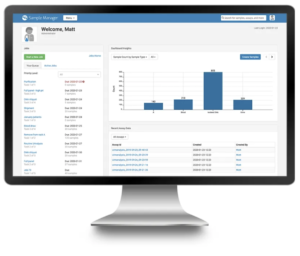
If you’re exploring sample tracking software, it helps to see what a modern, controlled system looks like in practice. In a quick tour of LabKey Sample Manager, you can get a feel for how teams move beyond spreadsheets while keeping day-to-day work straightforward.
In the tour, you’ll see how Sample Manager can help you:
- Standardize sample IDs, metadata, and status fields to reduce inconsistencies
- Track sample lineage (aliquots/derivatives) without manual cross-referencing
- Capture an audit-ready history of key actions and changes
- Manage storage locations and movement across freezers/rooms
- Support handoffs with clearer ownership and permissions
Take a tour of Sample Manager – see LabKey Sample Manager in action!